
Few things are more frustrating than starting your vehicle, seeing your radio power on normally, and then hearing absolutely nothing from the speakers. The display works, stations change, Bluetooth connects, and everything appears normal—but there’s no audio.
If your Car radio turns on but no sound, the problem could be as simple as an accidental audio setting or as complex as a failed amplifier, damaged speaker wiring, or a blown fuse. Fortunately, many of these issues can be identified without expensive diagnostic equipment.
🎵 Similar Stations


This guide explains the most common reasons your car radio has power but produces no sound, how to troubleshoot the problem safely, and what repairs may be necessary.
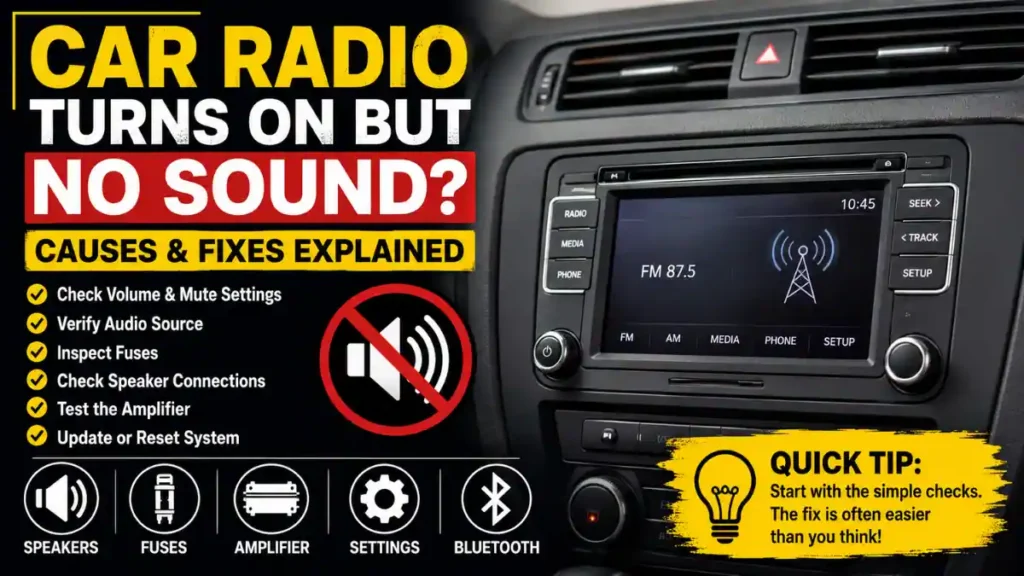
Why a Car Radio Can Turn On Without Producing Sound
A car radio actually consists of several systems working together:
- Head unit (radio)
- Internal or external amplifier
- Speaker wiring
- Vehicle electrical system
- Audio settings
- Connected speakers
Powering on only confirms that the head unit is receiving electricity. It doesn’t guarantee the audio path is functioning properly.
Common Causes of a Car Radio Turns On but No Sound
1. Volume or Audio Settings
It sounds obvious, but audio settings are often the culprit.
Check:
- Volume level
- Mute function
- Balance settings
- Fade settings
- Audio source selection
For example, if the fade is set completely to the rear while the rear speakers have failed, you’ll hear nothing.
2. Incorrect Audio Source
Modern infotainment systems support several audio sources:
- FM
- AM
- Bluetooth
- USB
- AUX
- Apple CarPlay
- Android Auto
- Satellite radio
If the selected source isn’t actively playing audio, the speakers may remain silent.
Try switching to FM radio and scan for a local station.
3. Bluetooth Problems
Wireless connections sometimes create confusing situations.
Common examples include:
- Audio still routed to wireless earbuds
- Phone connected but media volume turned down
- Bluetooth profile stuck after reconnecting
- Device connected without streaming audio
Disconnect Bluetooth completely and test regular FM radio.
4. Blown Speaker Fuse
Many vehicles have separate fuses for:
- Radio power
- Amplifier
- Audio system
A blown amplifier fuse may leave the radio display functioning while preventing any sound output.
Consult your owner’s manual for the fuse panel layout before replacing a fuse.
5. Failed External Amplifier
Many factory premium sound systems include an external amplifier.
Examples include systems from:
- Bose
- JBL
- Infinity
- Harman Kardon
- Fender
- Sony
If the amplifier loses power or fails internally:
- Radio display works
- Controls respond
- Speakers stay silent
This is one of the most common reasons newer vehicles experience complete audio loss.
Speaker Problems
Damaged Speakers
Although a single failed speaker usually doesn’t silence the entire system, multiple damaged speakers or wiring issues can.
Signs include:
- Crackling before complete silence
- Distorted audio
- One speaker failing first
- Progressive sound loss
Loose Speaker Wiring
Speaker wires may become damaged from:
- Door repairs
- Water intrusion
- Previous stereo installations
- Vehicle vibrations
Loose wiring can interrupt the audio signal even though the radio appears normal.
Radio Software Issues
Modern infotainment systems operate much like computers.
Occasionally they freeze due to:
- Software bugs
- Failed updates
- Temporary glitches
- Bluetooth conflicts
A soft reset or battery disconnect (following manufacturer recommendations) may restore audio.
Amplifier Protection Mode
Many aftermarket amplifiers include protection circuits.
The amplifier may disable audio if it detects:
- Overheating
- Short circuits
- Low voltage
- Incorrect wiring
- Speaker overload
When this happens, the radio continues operating without producing sound.
Wiring Problems After Stereo Installation
If the issue started after installing a new head unit, likely causes include:
- Incorrect harness wiring
- Missing amplifier turn-on wire
- Improper ground
- Faulty adapter
- Loose connector
Factory amplified systems often require special interface modules.
Vehicle Audio Network Problems
Many modern vehicles use digital communication systems between components.
Examples include:
- CAN Bus
- MOST fiber optic networks
If communication fails between modules, audio may stop even though the screen continues working.
These problems typically require professional diagnostic tools.
Step-by-Step Troubleshooting
Work through these checks in order.
| Step | What to Check | Difficulty |
|---|---|---|
| 1 | Increase volume | Easy |
| 2 | Disable mute | Easy |
| 3 | Reset balance/fade | Easy |
| 4 | Change audio source | Easy |
| 5 | Disconnect Bluetooth | Easy |
| 6 | Restart infotainment system | Easy |
| 7 | Inspect radio and amplifier fuses | Moderate |
| 8 | Listen for amplifier power-on click | Moderate |
| 9 | Test every speaker | Moderate |
| 10 | Inspect aftermarket wiring | Moderate |
| 11 | Scan for vehicle fault codes | Advanced |
Real-World Example
Imagine you replace your factory stereo with a new touchscreen receiver.
Everything powers on:
- Display works
- Navigation works
- Bluetooth connects
But there’s no sound.
The issue isn’t the radio itself. Many factory systems use an external amplifier that requires a remote turn-on signal. Without that signal, the amplifier never activates, leaving every speaker silent.
This is a common installation mistake, especially in vehicles equipped with premium factory sound systems.
Common Mistakes to Avoid
Many owners accidentally make the problem harder to diagnose.
Avoid these mistakes:
- Replacing the radio before testing speakers
- Ignoring amplifier fuses
- Assuming every speaker failed simultaneously
- Forgetting Bluetooth is connected
- Installing incorrect wiring harnesses
- Using oversized replacement fuses
- Skipping software resets
- Disconnecting wiring without labeling connectors
Practical Tips for Better Troubleshooting
A few simple habits can save both time and money.
- Test FM radio before blaming Bluetooth.
- Try multiple audio sources.
- Verify phone media volume separately from call volume.
- Check every speaker individually.
- Inspect recent stereo installation work.
- Keep spare automotive fuses in your vehicle.
- Use a multimeter when checking amplifier power.
- Consult the wiring diagram before replacing components.
Important Technical and Streaming Requirements
While streaming music from apps like Spotify, Apple Music, YouTube Music, or internet radio services, remember that the issue may not always be the streaming app itself.
Check the following:
- Mobile device media volume
- Bluetooth codec compatibility
- Wireless connection stability
- USB audio settings
- Apple CarPlay or Android Auto permissions
- Vehicle infotainment software updates
If FM radio is also silent, the problem is more likely within the vehicle’s audio hardware than the streaming service.
When to Seek Professional Repair
Professional diagnosis is recommended if:
- All fuses test good
- No speakers produce sound
- Factory amplifier won’t power on
- Wiring appears intact
- The infotainment system reports audio faults
- The vehicle uses a digital audio network
- Water damage is suspected
- Audio cuts in and out unpredictably
A qualified automotive audio technician can use specialized diagnostic equipment to identify faults that aren’t visible through basic troubleshooting.
Frequently Asked Questions
Why does my car radio have power but no sound?
The most common causes include muted audio settings, incorrect source selection, a failed amplifier, blown audio fuses, damaged speaker wiring, or infotainment software issues.
Can a blown fuse cause no sound but still allow the radio to turn on
Yes. Many vehicles use separate fuses for the radio display and the amplifier. The display can work normally even if the amplifier fuse has failed.
How do I know if my amplifier is bad?
If the radio powers on, all speakers remain silent, and amplifier power and ground are correct, the amplifier may have failed or entered protection mode.
Can Bluetooth cause no sound?
Yes. Audio may still be routed to another Bluetooth device, or the phone’s media volume may be turned down while the vehicle appears connected.
Will resetting the radio fix the problem?
A reset can solve temporary software glitches, especially in modern infotainment systems. However, it won’t repair damaged wiring or failed hardware.
Should I replace the radio first?
Usually not. Testing fuses, speakers, amplifier operation, and wiring first can prevent unnecessary replacement of a working head unit.
Final Thoughts
When a Car radio turns on but no sound is coming from the speakers, it’s easy to assume the head unit has failed. In reality, the issue often lies elsewhere—such as a muted setting, Bluetooth routing problem, blown amplifier fuse, damaged wiring, or malfunctioning external amplifier.
Starting with simple checks before replacing expensive components can save significant time, money, and frustration. By following a systematic troubleshooting process, most drivers can narrow down the cause and decide whether it’s a simple fix or a job best left to an experienced automotive audio technician.
Note: We do not host any streaming content on our servers. All radio streams are links provided by official broadcasters for public use.