
SDR Radio Software Free Download: Software-defined radio (SDR) allows you to receive, process, and analyze radio signals using a computer and compatible radio hardware. Instead of relying entirely on a traditional radio receiver, you can use SDR software to tune frequencies, view signal activity, listen to broadcasts, and explore different parts of the radio spectrum.
If you are searching for SDR radio software free download, several reliable programs are available at no cost. Some are designed for beginners who want to listen to FM and shortwave radio, while others offer advanced tools for signal analysis, digital communications, and radio experimentation.
🎵 Similar Stations
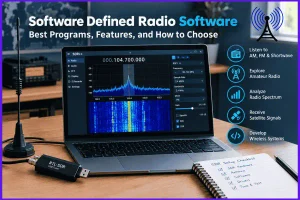
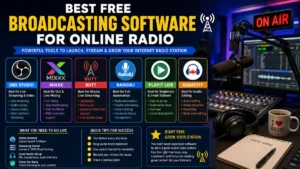
The right choice depends on your operating system, SDR receiver, and intended use. This guide covers popular free SDR applications, their official download pages, hardware compatibility, and practical installation tips.
What Is SDR Radio Software?
SDR radio software is a computer application that processes radio signals received through compatible hardware. The hardware captures radio-frequency signals and converts them into digital data, which the software processes into audio, visual displays, or other information.
Depending on the application and receiver, you may be able to:
- Listen to FM broadcast stations and shortwave transmissions.
- Explore AM, narrowband FM, and single-sideband (SSB) signals.
- View a live frequency spectrum and waterfall display.
- Monitor aircraft and other publicly receivable signals using suitable decoding software.
- Record audio or raw signal data for later analysis.
- Experiment with digital signal processing and amateur radio communications.
Important: SDR software alone usually cannot receive radio signals. Most applications require a compatible SDR receiver, antenna, and appropriate drivers. Some programs also offer simulated signals or sample recordings, allowing you to explore their features without connecting a physical receiver.
Best SDR Radio Software Free Download
The following programs are worth considering if you want to start listening to radio, experiment with an RTL-SDR dongle, or work with more advanced radio equipment.

1. SDR++
Best all-round option
SDR++ is a free, open-source SDR receiver with a straightforward interface, spectrum and waterfall displays, multiple virtual receivers, and support for various radio devices. It runs on Windows, Linux, macOS, and BSD.
Best for: Beginners and hobbyists who want a versatile receiver.
Official download: Windows, Linux, and macOS

2. SDR#
SDR# (SDRSharp) is a popular Windows SDR application distributed by Airspy. Its download package includes supporting drivers and tools for compatible receivers. Check the hardware requirements and package instructions before installation.
Best for: Windows users, particularly those using compatible RTL-SDR or Airspy receivers.
Official download: Airspy website

3. Gqrx
Gqrx is a free, open-source receiver offering AM, FM, SSB, and CW demodulation, frequency tuning, gain controls, spectrum analysis, and recording. Its primary supported platforms are Linux and macOS; Windows users can investigate the Radioconda distribution.
Best for: Linux users, radio enthusiasts, and basic signal analysis.
Official download and documentation

4. SDRangel
SDRangel provides a broad collection of analog and digital demodulators, spectrum analysis, mapping, and support for many SDR devices. It supports reception and, with suitable hardware and configuration, transmission.
Best for: Experienced hobbyists and digital signal experimentation.
Official download for supported operating systems

5. GNU Radio
GNU Radio is a signal-processing framework rather than just a conventional radio listening application. It lets you build custom receivers, transmitters, filters, modulators, and demodulators using graphical flowgraphs or Python and C++.
Best for: Engineering students, researchers, programmers, and advanced SDR users.
Official project and installation resources

6. OnAir
OnAir is a free, open-source application for receiving and decoding a variety of radio and digital broadcast modes. It offers packages for Windows, macOS, Linux, and Android, and includes demo signals for exploring supported features without a physical receiver.
Best for: Users interested in digital broadcasts and trying SDR features before buying hardware.
Official downloads and release notes
Free SDR Software Comparison
| Software | Operating system | Main purpose |
|---|---|---|
| SDR++ | Windows, macOS, Linux, BSD | General radio listening |
| SDR# | Windows | Receiver operation and tuning |
| Gqrx | Linux, macOS; Windows via Radioconda | Listening and spectrum analysis |
| SDRangel | Windows, macOS, Linux, Android | Advanced reception and signal analysis |
| GNU Radio | Multiple platforms, depending on build | Custom signal processing |
| OnAir | Windows, macOS, Linux, Android | Digital signal decoding |
Availability of a particular installer, feature, or hardware driver may vary by version. Check the official download page before installing.
How to Download and Install SDR Radio Software
Installing SDR software is straightforward, but the exact process depends on your computer and receiver. Follow these steps to avoid common setup problems.
Step 1: Choose the right application
Start with SDR++ if you want a general-purpose receiver. Windows users can also consider SDR#. Choose Gqrx for Linux or macOS listening, or GNU Radio if your goal is to develop custom signal-processing applications.
Step 2: Download from the official website
Use the download links above rather than third-party software directories. Select the package that matches your operating system and processor architecture, such as Windows x64, macOS Apple Silicon, or Linux AMD64.
Step 3: Install the required drivers
Connect your SDR receiver only after checking its manufacturer’s setup instructions. Some devices need a USB driver, device-specific libraries, or an additional software component.
For example, many RTL-SDR receivers on Windows use a compatible USB driver configured with a tool such as Zadig. Do not replace a device driver unless the software’s documentation recommends doing so.
Step 4: Connect your antenna and receiver
Attach a suitable antenna to your SDR device and connect the receiver to your computer. Antenna type and placement affect reception significantly. A small antenna intended for local FM broadcasts may not perform well for distant shortwave signals.
Step 5: Open the application and select your device
Launch the program, select the correct input device, and configure its sample rate and gain. Start with a moderate gain setting to avoid overwhelming the receiver with strong signals or interference.
Step 6: Tune to a known broadcast
Choose a frequency that is appropriate for your antenna, receiver, and location. Select the matching demodulation mode, such as WFM for conventional FM broadcast radio or AM for an AM broadcast.
If you see a signal but hear no audio, check the demodulation mode, bandwidth, volume, and audio output device.
Which Free SDR Software Should You Choose?
Your best option depends on what you want to do with your receiver.
For listening to FM and shortwave radio
Start with SDR++ or SDR#. Both are practical choices for exploring the spectrum with compatible hardware.
For Linux and macOS
Try Gqrx or SDR++. Check the supported receiver list before installing.
For advanced signal analysis
SDRangel offers a wide range of demodulators and analysis tools. GNU Radio is a better fit when you need to design your own signal-processing workflow.
For exploring digital radio modes
OnAir and SDRangel are worth investigating. Decoder support varies by mode, hardware, and software version.
Can You Use SDR Software Without an SDR Receiver?
Yes, but with limitations.
Some applications support prerecorded IQ samples, simulated signals, or demonstration modes. These features let you explore the interface and learn about signal processing without purchasing hardware.
However, if you want to receive live radio transmissions through your own antenna, you will generally need a compatible SDR receiver. An ordinary computer’s sound card cannot directly receive most radio-frequency signals without suitable additional hardware.
A web-based software radio is another option. Public WebSDR and KiwiSDR receivers let you listen through a remote radio connected to an antenna elsewhere, depending on availability and access restrictions.
Common SDR Software Problems and Solutions
The software cannot detect the SDR device
- Check that the USB cable and port work correctly.
- Confirm that the receiver is supported by your application.
- Install the appropriate driver or device library.
- Close other applications that may already be using the receiver.
The spectrum is empty
- Verify that the antenna is connected securely.
- Select a frequency within the receiver’s supported range.
- Check the gain and sample-rate settings.
- Test a known, relatively strong local signal.
The signal appears, but there is no sound
Confirm that the demodulation mode matches the transmission. Check the receiver’s bandwidth, squelch, system volume, and selected audio output.
Audio is distorted or reception is poor
Strong nearby signals can overload the receiver. Reduce the gain, try a different antenna position, and narrow the receiver bandwidth when appropriate. USB interference and electrical noise from nearby equipment can also affect reception.
Is Free SDR Radio Software Safe to Download?
Free software is not automatically safe simply because it costs nothing. Download applications from their official project websites or trusted release repositories.
Before installing:
- Check the application’s name and publisher.
- Avoid installers bundled with unrelated software.
- Review operating-system and hardware requirements.
- Check release notes and checksums when provided.
- Scan downloaded files if your security software flags a potential problem.
Also distinguish between open-source software and freeware. Open-source applications publish their source code under a license, while freeware may be free to use without providing source code.
Is SDR Radio Software Legal to Use?
Receiving radio broadcasts is permitted in many jurisdictions, but the rules depend on the country, frequency, service, and type of communication. Private communications, certain restricted services, and retransmission of received content may be subject to additional laws.
In India, check the applicable Department of Telecommunications and Wireless Planning and Coordination rules for your intended activity. Do not assume that being able to receive a signal means you are legally permitted to decode, disclose, record, or retransmit its contents.
Transmission requires particular care: you need suitable hardware, authorization where applicable, and compliance with the rules for the frequency and service concerned. Downloading SDRangel, for example, does not itself authorize radio transmission.
Final Recommendation
If you want SDR radio software free download for everyday radio listening, start with SDR++ or SDR# and confirm that your receiver is supported. Linux and macOS users should also consider Gqrx. For advanced digital modes and signal analysis, SDRangel is a strong option, while GNU Radio is suited to users who want to build custom radio systems.
Choose the software based on your hardware and intended use rather than downloading several applications at once. A compatible receiver, a suitable antenna, correct drivers, and sensible gain settings will make a bigger difference to your first SDR experience than installing multiple programs.
Note: We do not host any streaming content on our servers. All radio streams are links provided by official broadcasters for public use.
[…] ▶ Listen Live […]